Copper: Run Your Entire CRM and Sales Pipeline Inside Google Workspace
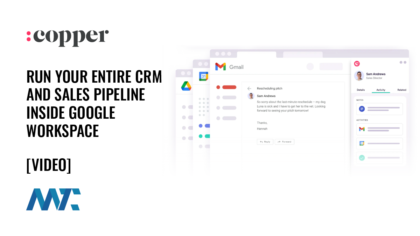
You’re managing relationships across six different tabs—and losing track
You already live in your Google Workspace inbox. Most of your customer conversations start there, your files sit in Drive, and your meetings are on your calendar. So why does your CRM make you leave it all behind? Every new lead means copying an email address into a separate tool. Every status update means stepping out of the work to log the work. By the time you’ve finished the admin, you’ve lost the thread on the actual relationship.
For teams whose business runs on relationships, like consultants, agencies, financial advisors, and production crews, that friction adds up fast. Deals slip because nobody noticed they stalled. Handoffs from sales to delivery rely on documents that become outdated the moment they’re written. And the bigger, heavier CRM platforms ask you to reorganize your entire workflow around them, when what you actually wanted was something that fit the way you already work.
Copper
Copper is the customer relationship platform built specifically for Google Workspace, working directly inside Gmail, Calendar, and Drive, so you manage your entire customer journey without ever switching tabs.

It’s the only CRM that holds Recommended for Google Workspace status, is a Chrome Enterprise Partner, and is backed by Google itself. Because it connects to your team’s Workspace accounts and automatically pulls in contacts and email history, most teams are up and running in days rather than the weeks or months a traditional rollout demands. The payoff is less manual data entry, fewer dropped follow-ups, and a single place where sales, project managers, finance, and contractors can all see the same customer story. You get the structure of a real CRM without giving up the tools your team already knows.
What Copper Does
Copper covers the full arc of a customer relationship, from first contact through repeat business. Here’s what you can do with it:
- Collaboration: Bring sales, project managers, creatives, finance, and contractors into one shared workspace so everyone works from the same context.
- Contracts and proposals: Draft in Google Docs or connect tools like PandaDoc, DocuSign, and QuickBooks to keep the sales process flowing.
- Email series and automation: Respond instantly to form submissions and send welcome or follow-up sequences without manual sending.
- Feedback requests: When a project wraps up, Copper can automatically send a follow-up request for a review or referral.
- Gmail and Calendar integration: Add contacts straight from Gmail with the Chrome extension, hover over any contact to view the full activity history, and see CRM tasks and reminders alongside your inbox. Look up event details and customer materials inside Google Calendar without breaking stride.
- Google Drive sync: Files sync automatically to the right contact record after you send them, and Copper surfaces relevant documents to attach based on your email activity.
- Lead capture: Collect leads from referrals, ads, events, or organic channels using web forms or business-card scanning at events.
- LinkedIn prospecting: Research and add prospects from LinkedIn (or any website) without leaving your current tab.
- Mobile app: Move relationships forward on the go, with calls and SMS logged automatically so accounts stay current whether you’re at your desk or in the field.
- Pipelines: Manage deals visually with drag-and-drop pipelines plus AI-powered flags that surface slipping opportunities and win probability.
- Pipeline automations: Trigger emails or reminders automatically when you move an opportunity to the next stage.
- Project management: Turn a closed deal directly into a project to handle delivery and onboarding, eliminating handoff documents entirely.
- Rekindle emails: Automatically reconnect with contacts you haven’t heard from in a while.
- Reporting: Build custom reports to project revenue, spot customer trends, and review team activity, then export to Google Sheets or visualize in Data Studio.
- Tasks and workflow automation: Assign follow-ups from a central task list and let Copper log calls, meetings, and activities without manual entry.
- Templates: Start from ready-made templates for AI email responses, pipelines, and forms, or build your own to save setup time.
Taken together, these pieces close the gap between where your work happens and where your customer data lives. The lead you capture in Gmail becomes a deal in your pipeline, the closed deal becomes a project your whole team can deliver on, and the finished project becomes the prompt to ask for the next referral—all without leaving the Google tools you open every morning.
With Copper, there was almost no setup time since it worked with Gmail. Plus, there were all these integrations that we could use right away. We were sold.
Chandler Navarrete, Polymath
Get started
You can take Copper for a spin before committing with no credit card, instant activation, and a free 14-day trial. Connect your Google Workspace account, watch your contacts and conversations populate, and see how much of the busywork disappears when your CRM finally lives where you do.
Frequently Asked Questions
Does Copper work with my existing Google Workspace setup?
Yes. Copper connects directly to Gmail, Calendar, Drive, and Gemini and automatically pulls in your contacts and email history. It holds Recommended for Google Workspace status and is a Chrome Enterprise Partner.
How long does it take to get up and running?
Most teams are operational in days rather than weeks or months. Because Copper layers onto accounts you already use, there’s very little setup beyond connecting your Workspace.
Can my whole team use it, not just sales?
Yes. Copper is built for the full customer journey, so sales, project managers, creatives, finance, and contractors can all work from the same records and shared context.


