Google Business: Get Your Place ID, Map, Directions, and Read & Write Review URLs
Local search visibility is no longer just a digital luxury; it is the lifeblood of physical foot traffic and modern brand trust. When potential customers look for your business online, they are rarely just browsing—they are usually ready to buy, visit, or compare you directly with a competitor. For businesses with brick-and-mortar locations or localized service areas, managing how customers interact with your brand on Google Maps dictates your conversion rates.
Unfortunately, navigating the native Google Business Profile (GBP) interface to extract clean, functional links for your marketing materials can be frustrating. To solve this, we have launched a comprehensive utility that instantly pulls all your essential local marketing links.
Google Business Page Links v1.1.4Last Update: Jun 2, 2026
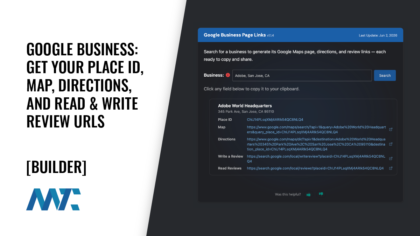
Search for a business to generate its Google Maps page, directions, and review links — each ready to copy and share.
By simply typing in your business name, this tool extracts your unique cryptographic identifier from Google’s database and outputs five mission-critical assets: your Google Place ID, Google Maps Link, Read Reviews Link, Write a Review Link, and a mobile-ready Directions Link.
Here is a comprehensive breakdown of why each of these assets is critical to your local marketing strategy and how you can leverage them to eliminate customer friction and dominate local search.
The Foundation: Google Place ID
Every physical location indexed in the Google Maps database is assigned a unique, stable alphanumeric identifier known as a Place ID. Think of it as a digital fingerprint or an identification number specifically for the spatial web. While business names can change, domains can be rebranded, and physical addresses can be formatted differently across various directories, the Place ID remains completely static.
For developers and technical marketers, the Place ID is the foundational currency for interacting with the Google Maps JavaScript API and the Places Library. Hardcoding a standard address string into a custom application or database leaves your system vulnerable to parsing errors or location mismatches if Google updates its mapping grid. By isolating and using your exact Place ID, you future-proof your digital infrastructure. This identifier ensures that every third-party application, localized landing page, or custom CRM integration references the exact latitude and longitude coordinates verified by your team.
The Anchor: Direct Google Maps Link
Providing a standard textual address on your contact page (123 Main Street, Suite A) forces a multi-step cognitive load on your website visitors. A user must highlight the text, copy it, open a new browser tab or navigation app, paste the text, and hope the search engine resolves the address to the correct building. If your business is located in a complex shopping center, a large office park, or an area with recent zoning changes, standard text addresses often route users to the wrong side of a block.
https://www.google.com/maps/search/?api=1&query=[Business+Name]&query_place_id=[YOUR_PLACE_ID]A direct Google Maps Link serves as a high-fidelity anchor. When clicked, it bypasses the search phase entirely and drops the user directly onto your verified digital storefront. This link displays your complete brand profile, including your photos, hours of operation, current peak busy times, and real-time updates. It acts as an instant digital welcome mat, ensuring that your web traffic transitions seamlessly into an engaged audience exploring your official corporate entity.
Social Proof: Read Reviews Link
Modern consumers rarely make purchasing decisions in a vacuum. Online reviews serve as unedited, democratic social proof that heavily dictates your brand’s credibility. Potential customers actively seek validation of your product quality, customer service, and operational reliability.
https://search.google.com/local/reviews?placeid=[YOUR_PLACE_ID]The Read Reviews Link routes users straight to your historical catalog of customer feedback. Curating an easily accessible pathway to these reviews allows you to proudly display your track record of satisfied clients. Additionally, it provides transparency. When a business openly points customers to its review history, it demonstrates confidence in its operational consistency. For businesses that actively respond to feedback, this link also showcases your commitment to customer engagement, showing prospective buyers that you actively listen to and support your community.
Velocity and Volume: Write a Review Link
While attracting positive reviews is incredibly valuable, the administrative process of gathering them can be a major bottleneck. Expecting a busy customer to manually search for your business on Google, scroll past your competitors, locate the review section, and click “Write a review” leads to incredibly low conversion rates. Most customers will only go through that trouble if they have had a uniquely negative experience.
https://search.google.com/local/writereview?placeid=[YOUR_PLACE_ID]To capture the silent majority of highly satisfied, happy customers, you must make the feedback loop completely frictionless. The Write a Review Link uses a specialized URL string appended with your unique Place ID. When a user clicks this link, it opens a native, isolated review window directly over the screen, automatically presenting a five-star selection matrix and a text box.
By eliminating the navigation steps, you drastically increase review velocity (how fast you gain reviews) and volume. Marketers frequently shorten this URL or encode it as a physical QR code printed on receipt tape, table tents, invoice PDFs, or in follow-up email campaigns. It converts an abstract request for feedback into a seamless, one-click action item.
Seamless Navigation: Mobile-Ready Directions Link
A significant percentage of local commercial searches happen on mobile devices while users are actively on the move. If a mobile user clicks a poorly formatted map link, they are often directed to a generic desktop-browser view of a map rather than an actionable navigation path.
https://www.google.com/maps/dir/?api=1&destination=Your+Business+Name&destination_place_id=[YOUR_PLACE_ID]The mobile-ready Directions Link solves this by utilizing an intelligent deep-linking syntax. When accessed on a smartphone or tablet, it automatically launches the device’s native Google Maps app. Instead of simply showing where your business is located, it instantly sets your business as the final destination and populates the user’s current GPS coordinates as the starting point.
This completely eliminates navigation errors, avoids confusion from generic street addresses, and creates a highly intuitive path directly to your front door. Whether you are running an e-commerce pickup location, a medical clinic, or a retail boutique, removing the friction between intent to visit and active turn-by-turn navigation is one of the most effective ways to maximize physical conversion rates.
Maximizing Local ROI
Local marketing is fundamentally an exercise in reducing friction. Every click, copy-paste requirement, or search step you remove from a customer’s journey directly increases your conversions. By deploying the assets generated by this tool across your email signatures, footer menus, automated SMS sequences, and localized landing pages, you transform static location data into an interconnected ecosystem of actionable utilities. Optimize these touchpoints, empower your customers to find and review you effortlessly, and watch your local footprint expand.