Destructive Command Guard: A Safety Net for AI Coding Agents
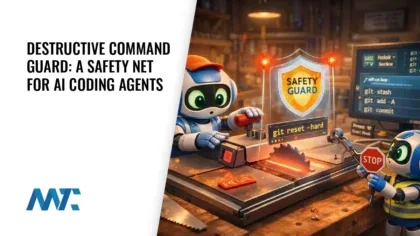
You’ve been heads-down with an AI coding agent for hours—refactoring, debugging, shipping. Then the agent runs git reset --hard HEAD~5 or rm -rf ./src, and everything you haven’t committed is gone. Not slowed down. Gone.
It’s not hypothetical. AI coding agents like Claude Code, Codex CLI, Gemini CLI, and GitHub Copilot are genuinely useful—but they occasionally issue catastrophic commands without hesitation. The model doesn’t feel the loss of three hours of work. You do. And by the time you see the output, it’s too late.
The real problem isn’t that agents are reckless—it’s that there’s no guardrail between an agent’s decision to run a command and the shell actually executing it. Every dangerous operation lands without a checkpoint.
Destructive Command Guard
Destructive Command Guard (dcg) is a high-performance, open-source hook for AI coding agents that intercepts destructive shell and git commands before they execute—blocking them with a clear explanation and offering safer alternatives instead.
What dcg Actually Does for You
Installing dcg gives you a safety layer between your AI coding agent and the terminal, without adding noticeable latency to your workflow. The tool is written in Rust and uses SIMD-accelerated filtering to keep hook evaluation under a millisecond—meaning it’s effectively invisible during normal operation.
What makes dcg more than a simple blocklist is the intelligence behind its detection. It doesn’t just match rm -rf literally; it understands context. Running grep "rm -rf" is data and gets through. Running rm -rf / is execution and gets blocked. That distinction matters enormously in a real development environment where the same string appears in tests, documentation, and actual dangerous commands.
The tool ships with 50+ modular security packs covering databases (PostgreSQL, MySQL, MongoDB, Redis, SQLite, Supabase), container orchestration (Docker, Kubernetes, Helm, Podman), cloud providers (AWS, GCP, Azure), secrets management (Vault, Doppler, 1Password), CI/CD platforms, messaging queues, payment processors, and more—each opt-in so you enable only what’s relevant to your stack. It also scans heredocs and inline scripts, catching something like python -c "import shutil; shutil.rmtree('./src')" before it runs, using a three-tier pipeline that extracts embedded code, parses it with language-aware AST matching, and recursively evaluates inner shell commands.
Agent-specific profiles let you tune trust levels per tool—giving Claude Code a broader allowlist while more aggressively locking down unknown agents. Configuration layers from system-wide to project-local allow teams to set shared defaults without overriding individual preferences. And when something you genuinely need to run gets blocked, the bypass options are explicit and auditable rather than requiring you to disable protection entirely.
Features
Destructive Command Guard ships with a broad set of capabilities designed for real developer workflows:
- Agent-Specific Profiles: Automatically detects which AI coding agent is invoking it—Claude Code, Codex CLI, Gemini CLI, Copilot, Cursor, Grok, and others—and applies per-agent configuration including trust level, extra or disabled packs, and allowlist behavior.
- Allow-Once Codes: When a command is blocked, dcg displays a short code you can pass to
dcg allow-once <code>to permit that single execution without permanently weakening your protection. - Custom Packs: Define your own YAML-based security packs for internal tools, deployment scripts, and proprietary systems. Packs can be scoped per-user or per-project and validated with
dcg pack validatebefore deployment. - DCG_BYPASS Escape Hatch: When you need to run a blocked command immediately,
DCG_BYPASS=1 <command>disables all protection for that one invocation, with the expectation that recurring needs get moved to a permanent allowlist instead. - Explain Mode:
dcg explain "command"shows exactly which rule is matching and why a command would be blocked, useful for debugging custom packs or understanding a denial. - Fail-Open Design: If dcg encounters a timeout, parse error, or resource limit, it allows the command to proceed rather than blocking your workflow. A configurable
fail_closedmode is available for high-security environments. - Heredoc and Inline Script Scanning: A three-tier pipeline—trigger detection under 100µs, content extraction under 1ms, AST pattern matching under 5ms—catches destructive patterns embedded inside
python -c,bash -c,node -e, and heredoc blocks, including recursive inner shell evaluation. - Layered Configuration: Config cascades from compiled defaults → system config (
/etc/dcg/config.toml) → user config (~/.config/dcg/config.toml) → project config (.dcg.toml) → environment variables, so each layer only specifies what differs. - Modular Pack System: Over 50 security packs organized by category—databases, containers, Kubernetes, cloud providers, CDNs, messaging, monitoring, payments, search engines, backups, and more—each individually enabled or disabled in
config.toml. - Permanent Allowlist:
dcg allowlist add core.git:reset-hard -r "reason"permanently permits a specific pattern with an auditable reason string. - Project-Specific Pack Configuration: The
[projects]section in config lets different repositories carry different pack sets—stricter for production APIs, more permissive for personal experiments. - Scan Mode for CI:
dcg scansupports SARIF 2.1.0 output for pre-commit hooks and CI pipelines, catching dangerous patterns in code review before they ever reach an agent. - Smart Context Detection: Distinguishes between a command that contains a destructive pattern as data versus one that executes it, reducing false positives in test suites and documentation.
- Sub-Millisecond Latency: SIMD-accelerated filtering and lazily compiled regex patterns keep hook evaluation imperceptible. An absolute 200ms timeout hard cap prevents any single evaluation from stalling the terminal.
- Windows-Native Support:
windows.filesystemandwindows.systempacks are default-on for Windows installs, blockingdel /s,rd /s,Remove-Item -Recurse -Force,vssadmin delete shadows, andformat <drive>:out of the box via a PowerShell installer with SHA256 and optional Sigstore/cosign signature verification.
Destructive Command Guard integrates with Claude Code, Codex CLI 0.125.0+, Gemini CLI, GitHub Copilot CLI, Cursor IDE, Hermes Agent, Grok (xAI), Antigravity CLI, and more via their native hook mechanisms—and falls back to git hooks for tools like Aider that don’t expose pre-execution interception.
Getting Protection in One Command
Once dcg is installed, it runs silently behind every command your agent attempts to execute. The blocks are immediate, the output is human-readable, and the alternatives it suggests are actionable. Teams working across shared infrastructure can enforce consistent pack policies through system-level config while individuals retain personal preferences at the user level.
The Problem: AI coding agents (Claude, Codex, Gemini, Copilot, etc.) occasionally run catastrophic commands like
Destructive Command Guard README, GitHubgit reset --hard,rm -rf ./src, orDROP TABLE users—destroying hours of uncommitted work in seconds.
dcg is MIT-licensed, written in Rust for performance, actively maintained with 1,754+ commits, and supports every major AI coding platform in use today. The project began as a Python script by Jeffrey Emanuel after observing AI agents destroy uncommitted work—and was subsequently ported to Rust and dramatically expanded into the full modular system it is today.
The gap between agent issues command and command executes used to be zero. dcg makes that gap a checkpoint.
Stop relying on an AI agent’s judgment to avoid irreversible mistakes. With dcg, dangerous commands are intercepted before they execute—so a model’s confidence doesn’t cost you hours of work.
Download Destructive Command Guard from Github
Frequently Asked Questions
Will dcg slow down my AI coding agent?
No. The hook is designed for sub-millisecond execution using SIMD-accelerated pattern matching. An absolute 200ms timeout cap ensures it can never stall your terminal, and the fail-open design means that if something goes wrong internally, your workflow continues uninterrupted.
Can I use dcg with multiple AI coding tools at the same time?
Yes. dcg auto-detects which agent is invoking it and applies the appropriate hook protocol for each. Claude Code, Codex CLI, Gemini CLI, GitHub Copilot CLI, Cursor, Grok, and others are all supported simultaneously—the installer configures each agent’s hook mechanism automatically.
What happens if dcg blocks something I actually need to run?
You have several options: use DCG_BYPASS=1 <command> for a one-off bypass, use the allow-once code displayed in the block message, add the pattern permanently with dcg allowlist add, or disable a specific pack for a given project via .dcg.toml. None of these options require removing dcg entirely.


