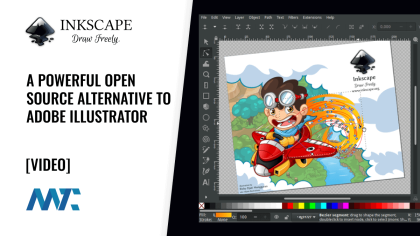
A vector image format for 2D graphics, SVG describes images using geometric shapes such as lines, circles, and polygons, rather than pixels. This makes SVG images resolution-independent, allowing them to be resized without losing quality, unlike raster images like JPEG or PNG. SVG is an open standard, meaning it is not proprietary and can be edited and viewed with various software, including Adobe Illustrator, Inkscape, and CorelDRAW.
<svg width="100" height="100">
  <rect x="10" y="10" width="30" height="30" fill="red"/>
  <circle cx="50" cy="50" r="20" fill="blue"/>
</svg>
How SVG Works
SVG images are defined in a vector graphics format and stored in XML text files. These files can be created and edited with text editors or vector graphics editors and are rendered by most web browsers. SVG supports interactivity and animation, and the XML text files can be searched, indexed, scripted, and compressed.
Applications of SVG
SVG is used in various applications, from simple icons and illustrations to more complex diagrams and data visualizations. It is also used in printing due to its ability to produce sharp edges and maintain quality when enlarged or reduced. SVG can be animated and manipulated with scripts like JavaScript.
Example of SVG Code
Here is an example of a simple SVG file that contains a red square and a blue circle:
“`xml <svg width="100" height="100"> <rect x="10" y="10" width="30" height="30" fill="red"/> <circle cx="50" cy="50" r="20" fill="blue"/> </svg> “`
This SVG code creates a rectangle with a width of 30 and a height of 30, positioned at the coordinates (10,10) and filled with a red color, and a circle with a radius of 20, positioned at the coordinates (50,50) and filled with a blue color. This image would have a canvas width and height of 100.