Demystifying Core Web Vitals Data Freshness and Reporting Lag
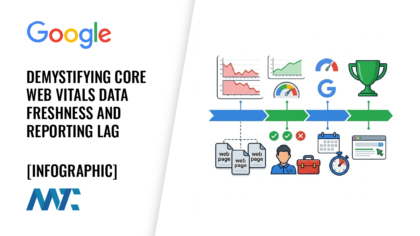
Speed is no longer just a technical luxury but a fundamental pillar of search engine optimization. However, the path to a passing score in Google Search Console is often paved with confusion. Many developers and site owners find themselves trapped in a cycle of deploying performance patches only to find that their public scores remain stagnant for weeks.
This phenomenon is not a failure of the optimization itself but rather a byproduct of the architectural lag inherent in Google’s performance data processing. To truly master Core Web Vitals, one must understand that these metrics are not real-time snapshots but are instead calculated as rolling averages over extended periods.
The Lab and Field Data Divide
First, we must distinguish between the two primary methods of performance measurement. Lab Data represents a controlled experiment. When you run a Lighthouse test or use the Chrome DevTools, you are essentially creating a synthetic environment. A specific device is simulated, a specific network speed is throttled, and a single visit is recorded.
Field Data, or Real User Monitoring (RUM), operates on an entirely different plane. This data is harvested from the Chrome User Experience (CrUX) Report, which collects actual performance metrics from millions of real-world users. Because this data relies on collecting enough samples to be statistically significant, it cannot be updated in real time.
- Lab Data: This serves as a consistent, repeatable diagnostic tool that provides immediate feedback after code changes.
- Field Data: This represents the actual reality of your audience across various devices and network speeds and is the primary source for ranking.
- The Chrome User Experience Report (CrUX): This is the massive public dataset that feeds nearly all of Google’s performance tools.
Key Takeaway: Lab data serves as your internal compass for immediate technical verification, while field data acts as the official record that Google uses to determine your search ranking.
The 28-Day Rolling Window and PSI Freshness
The primary source of confusion for most marketers is PageSpeed Insights (PSI). This tool is unique because it displays both Lab and Field data side by side. When you enter a URL, Lab data is generated on the spot, while Field data is pulled from a historical database. This mathematical structure creates a heavy anchor effect. Even if your site is now the fastest in its niche, the legacy of your old, slow site will continue to weigh down your scores for nearly a month.
- Metric Collection: Google Chrome browsers collect performance telemetry from real users as they navigate your pages.
- Aggregation Delay: Google requires approximately two days to process and aggregate this data into its reporting databases.
- 1
- Window Shift: Each new day of data replaces the oldest day in the window, gradually shifting the final score.
Key Takeaway: Performance scores are anchored in historical data, meaning that a fix deployed today will take nearly a full month to fully reflect in your official field metrics.
Decoding URL Grouping in Google Search Console
Google Search Console takes a different approach to reporting than PageSpeed Insights. Instead of focusing on a single URL, it uses a system of URL grouping, or clustering. Google understands that most modern websites are built on templates, such as those found on an auto dealer site with thousands of Vehicle Detail Pages (VDPs).
- URL Path Patterns: Google identifies siblings by looking for common structures, such as the inventory slash, used in the address.
- Template Fingerprinting: The algorithm analyzes the underlying HTML and JS to determine whether the page structure is identical.
- Aggregate Scoring: If a critical mass of pages in the group fails the threshold, the entire group is marked as failing.
- Site Architecture Signals: Internal linking and breadcrumb structures help Google confirm which pages belong to which template cluster.
Key Takeaway: Google evaluates your site based on page templates rather than individual URLs which means a few slow pages can negatively impact the status of hundreds of fast pages within the same cluster.
The Reality of the Validate Fix Process
When a developer addresses a performance issue, the natural next step is to click the Validate Fix button in Google Search Console. There is a common misconception that this button forces Google to reevaluate the site immediately. In reality, clicking this button initiates a specific sequence of events designed to monitor long-term health.
- Crawl Initiation: Google sends a crawler to perform a quick check of a small sample of URLs in the affected group to verify the fix is live.
- State Change: The issue is moved from failing to pending status in the dashboard.
- 1riod where it watches incoming field data for the 75th percentile.
- Final Determination: If the majority of the field data during this window meets the passing criteria, the validation is marked as successful.
1er than an immediate fix, and it requires a full month of real-world improvement to move a status from failing to passing.
Why Rankings Trail Technical Improvements

The relationship between Core Web Vitals and search rankings is one of the most debated topics in SEO. Because Core Web Vitals are a tie-breaker signal, their impact is often subtle. However, the most important thing to remember is that the ranking algorithm uses the same lagging field data found in the Chrome User Experience Report.
- Algorithm Stability: Google avoids frequent ranking shifts based on daily performance fluctuations to ensure search result consistency.
- Sustained Performance: A site must prove it can maintain speed over a full reporting cycle before it is rewarded by the algorithm.
- Data Consistency: The ranking signal updates on a rolling basis, so improvements usually lag the technical fix by several weeks.
Key Takeaway: Search ranking improvements lag behind technical fixes because Google requires a sustained period of proven performance before adjusting its assessment of your site.
Communicating the Data Pipeline to Clients
The final and perhaps most difficult piece of the puzzle is explaining all of this to a client. When a client pays for speed optimization, they expect to see results in their reporting dashboard immediately. The key to successful communication is to set the stage before the work even begins.
- Manage Expectations: Explain the data pipeline concept and the 28-day window before the project starts.
- Show Immediate Proof: Use Lab data and Lighthouse reports to demonstrate that the technical work has been completed correctly.
- Track the Trend: Focus on daily improvements in the field data graphs rather than on the binary pass/fail status.
- Credit Score Analogy: Compare the process to a credit score, where paying a debt today takes time to be reflected in the official rating.
Key Takeaway: Proactive education about the rolling nature of performance metrics is essential to maintaining client trust during the long transition from a technical fix to reported success.


