Formidable Forms: How to Build a WordPress Plugin That Automatically Assigns Sales Territories
Formidable Forms has built-in conditional logic, and it’s genuinely good. You can show or hide fields, branch confirmation messages, and route email actions based on rules. We’ve had exceptional responses to sending a confirmation back to the dealers who submitted a demo request, with most of them using a schedule link in the email without our reps even contacting them.
Now we’ve expanded our team. So when I needed every inbound lead routed to the right sales rep, and the confirmation personalized with the right calendar link, the obvious answer was a stack of conditional rules on the notification email.
I didn’t do it, and here’s why: territory assignment isn’t form logic, it’s business data. The territory rules at Overfuel depend on two things — the state or province the lead is in, and how many units the dealership carries. Map that across every rep with conditional rules, and you get a ridiculous rule set that someone has to re-edit in the form builder every time a rep joins, leaves, or the territories are reorganized. Routing logic trapped inside a form is technical debt with a friendly UI.
What I wanted instead was a table with the following columns: territory name, SDR, contact details, unit range, and states. Sales operations edits the table; the form never changes. So I built a small WordPress plugin that does exactly that, and Formidable’s toolset is what makes it work so cleanly.
This is a step-by-step walkthrough of the finished plugin so you can recreate it for your own business — keeping in mind that your territory criteria will be different from mine. I used states/provinces and units per dealership; you might use industry, deal size, zip codes, or product lines. The pattern is identical.
Pro Tip: Copy the Markdown from this article and put it in your favorite AI platform to help you build and customize it.
Why Formidable’s Toolset Still Does the Heavy Lifting
Skipping conditional rules doesn’t mean working around Formidable — the plugin leans on it everywhere:
- Field substitution before shortcode parsing. In email actions and confirmation messages, Formidable replaces bracketed field IDs like
[25]with the submitted values before WordPress parses shortcodes. That means I can nest form values inside my own shortcode’s attributes:[sales_rep units="[25]" state="[30]"]. - Shortcodes work in the email action’s routing fields, not just the body. The To, CC, BCC, and Reply-To boxes all run the same substitution. My shortcode returns the assigned rep’s email address, so the notification itself goes to the right rep — and the auto-responder’s Reply-To points at them too, so when the lead hits reply, the conversation starts with their owner.
- Hooks at the right moments. The
frm_after_create_entryaction hands me the entry and form ID the instant a submission is stored, which is what makes reliable assignment logging possible. - An entries API. Every log row links straight back to the full Formidable entry screen, so the audit trail is one click from the original submission.
One custom shortcode plus those hooks replaces what would have been dozens of brittle conditional rules.
What the Finished Plugin Does
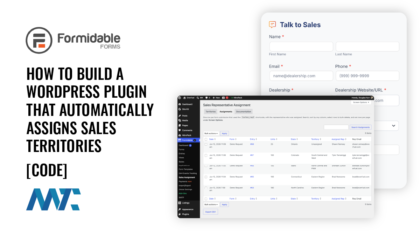
Before the build steps, here’s the destination — a Sales Assignment screen nested under the Formidable Forms menu, with three tabs:
- Territories: One row per rep — Territory Name, rep name, email, phone, scheduling link, min/max units, and a states/provinces picker. Every field is required except two, where blank carries meaning: a blank Max Units means “no upper limit,” and an empty states list makes the rep a catch-all. Below the table is an Unassigned Representative who receives anything that doesn’t match anyone.

- Assignments: every routed submission in a standard WordPress admin table — searchable, sortable by any column, multi-select with bulk delete, paginated via Screen Options — showing date, form, linked entry, units, state, territory (or
Unassigned), and the rep, with CSV export. Records live in their own database table, so history is unlimited.

- Documentation: the shortcode reference, so the next admin doesn’t need to find this article.

And one shortcode, [sales_rep], that returns any piece of the matched rep: name, email (the default), phone, schedule, or territory.
Step 1: Define Your Territory Model
Reduce your routing rules to two kinds of criteria before writing code:
- A range criterion: a number with a minimum and a maximum. Mine is units per dealership. Yours might be deal size, employee count, or monthly spend.
- A list criterion: a categorical value matched against a list. Mine is a state/province. Yours might be country, industry, or zip prefix.
Then decide 1 evenly), what happens when nobody matches (my Unassigned Representative catches it), and whether you need an audit trail (you do).
Step 2: Scaffold the Plugin
One folder in wp-content/plugins/, one main file. Three details in the header matter: the ABSPATH guard stops direct execution, Requires Plugins: formidable tells WordPress 6.5+ not to activate this plugin without its dependency, and a version constant keeps any printed assets cache-broken in lockstep with releases.
<?php
/**
 * Plugin Name: Overfuel Sales Territories
 * Description: Dynamically assigns sales representatives based on units,
 *              states, and random distribution splits. Adds a "Sales
 *              Assignment" screen under Formidable Forms.
 * Version:     1.3.0
 * Author:      Douglas Karr
 * Author URl:  https://dknewmedia.com
 * Requires Plugins: formidable
 */

if ( ! defined( 'ABSPATH' ) ) {
    exit;
}

if ( ! defined( 'SA_PLUGIN_VERSION' ) ) {
    define( 'SA_PLUGIN_VERSION', '1.3.0' );
}
Because older WordPress ignores that dependency header, I also gate at runtime — every Formidable touchpoint checks class_exists( 'FrmAppHelper' ) first, and an admin notice explains the missing screen if Formidable is deactivated. The plugin can never fatal because its dependency disappeared.
Step 3: Store Territories as One Option, Sanitized on Save
No custom database table — a single WordPress option holds an array of rows, one per rep per territory:
array(
    array(
        'territory' => 'Midwest',
        'name'      => 'Alex Morgan',
        'email'     => 'alex@example.com',
        'phone'     => '555-201-3344',
        'schedule'  => 'https://example.com/meet/alex',
        'min_units' => '1',
        'max_units' => '50',   // a blank string means "no upper limit"
        'states'    => 'Illinois, Indiana, Ohio',
    ),
    // ...one row per rep/territory combination
)
The Settings API saves it, and a sanitize callback is the server-side gatekeeper. Notice what it deliberately does not do: it drops rows only when every field is blank. Required-field enforcement lives in the form’s required attributes; the sanitizer never discards a partially filled row, so a browser quirk can’t silently delete a live rep.
add_action( 'admin_init', 'sa_register_settings' );
function sa_register_settings() {
    register_setting( 'sa_settings_group', 'sa_reps_data', array(
        'type'              => 'array',
        'sanitize_callback' => 'sa_sanitize_reps_data',
    ) );
    register_setting( 'sa_settings_group', 'sa_fallback_rep' );
}

function sa_sanitize_reps_data( $reps ) {
    if ( ! is_array( $reps ) ) {
        return array();
    }
    $clean = array();
    foreach ( $reps as $rep ) {
        if ( ! is_array( $rep ) ) {
            continue;
        }
        $rep = wp_parse_args( $rep, array( 'territory' => '', 'name' => '', 'email' => '', 'phone' => '', 'schedule' => '', 'min_units' => '', 'max_units' => '', 'states' => '' ) );
        $row = array(
            'territory' => sanitize_text_field( $rep['territory'] ),
            'name'      => sanitize_text_field( $rep['name'] ),
            'email'     => sanitize_email( $rep['email'] ),
            'phone'     => sanitize_text_field( $rep['phone'] ),
            'schedule'  => esc_url_raw( $rep['schedule'] ),
            'min_units' => ( '' !== trim( (string) $rep['min_units'] ) ) ? (string) intval( $rep['min_units'] ) : '',
            'max_units' => ( '' !== trim( (string) $rep['max_units'] ) ) ? (string) intval( $rep['max_units'] ) : '',
            'states'    => sanitize_text_field( $rep['states'] ),
        );
        if ( '' === implode( '', $row ) ) {
            continue; // drop only completely empty rows
        }
        $clean[] = $row;
    }
    return $clean;
}
Step 4: Build the Admin Screen Inside Formidable’s Menu
Since the whole workflow is Formidable-centric, the screen lives as a submenu of Formidable rather than another top-level menu. Priority 20 makes sure Formidable’s own menu registers first:
add_action( 'admin_menu', 'sa_register_sales_assignment_menu', 20 );
function sa_register_sales_assignment_menu() {
    if ( ! class_exists( 'FrmAppHelper' ) ) {
        return; // no Formidable, no parent menu to attach to
    }
    add_submenu_page(
        'formidable',           // nest under the Formidable Forms menu
        'Sales Assignment',
        'Sales Assignment',
        'manage_options',
        'sales-assignment',
        'sa_render_admin_page'
    );
}
The Territories tab is a form posting to options.php, rendering one table row per rep with add/remove row JavaScript. The UI details below came out of real use, not the first draft:
- Territory Name is the first column, left of the rep’s name, because that’s how the team thinks: territory, then owner.
- Don’t let anyone type states by hand. The states cell is a button reading “16 selected” — hover shows the full comma-delimited list, click opens a popup styled like WordPress’s own media modal: a title bar with an X close button, every US state and Canadian province in an “Available” list on the left, the rep’s “Selected” list with a live count on the right, and Add/Remove buttons between them. It writes a comma-delimited string into a hidden input, so the matching engine never changed. Typos in free text are silent routing failures; a canonical picker eliminates the entire category.
- One CSS gotcha worth knowing: WordPress core ships
.wp-core-ui select[multiple] { height: auto; }, which collapses multi-select lists to the browser’s four-row default and quietly outranks a class-based height rule. Scope your rule under an ID to win:
/* Outranks core's .wp-core-ui select[multiple] { height: auto; } */
#sa-states-modal .sa-states-col select { width: 100%; height: 340px; }
- Number new rows by highest-index-plus-one, not row count. Delete a middle row, add a new one, and a row-count index collides with a surviving row — silently overwriting a rep on save.
- Use standard admin notices, not JavaScript alerts. One subtlety: because this screen lives under Formidable’s menu instead of Settings, WordPress does not auto-render the Settings API’s “saved” notice. Call
add_settings_error()andsettings_errors()yourself whensettings-updatedcomes back in the URL.
Step 5: The Matching Engine — One Shortcode
This is the heart of the plugin, and the piece you’ll customize to your own criteria. The rules, in order: the unit count must fall in the rep’s range (blank max = unlimited); the submitted state must appear in the rep’s list, case-insensitively; rows with an empty list (or any/all) are catch-alls within their unit range; if several reps match, one is picked at random; if nobody matches, the Unassigned Representative is returned.
The static $selection_cache matters more than it looks. One submission renders the confirmation message and the notification email, each calling this shortcode several times — name here, phone there. Without the cache, the random split could hand them different reps, putting one rep’s name next to another rep’s phone number.
add_shortcode( 'sales_rep', 'sa_evaluate_sales_assignment_shortcode' );
function sa_evaluate_sales_assignment_shortcode( $atts ) {
    $args = shortcode_atts( array(
        'units' => 0,
        'state' => '',
        'field' => 'email', // name | email | phone | schedule | territory
    ), $atts );

    $units = intval( $args['units'] );
    $state = trim( strtolower( $args['state'] ) );

    // One decision per units/state combination per request, reused by every
    // shortcode call in the confirmation AND the notification email.
    static $selection_cache = array();
    $cache_key = $units . '|' . $state;

    if ( isset( $selection_cache[ $cache_key ] ) ) {
        $selected_rep = $selection_cache[ $cache_key ];
    } else {
        $reps = get_option( 'sa_reps_data', array() );
        if ( ! is_array( $reps ) ) {
            $reps = array();
        }

        $matching_pool = array();
        $fallback_rep  = null;

        foreach ( $reps as $rep ) {
            // A corrupted row must never fatal the front end: on PHP 8,
            // reading a string offset with a string key throws a TypeError.
            if ( ! is_array( $rep ) ) {
                continue;
            }
            $rep = wp_parse_args( $rep, array( 'territory' => '', 'name' => '', 'email' => '', 'phone' => '', 'schedule' => '', 'min_units' => '', 'max_units' => '', 'states' => '' ) );

            $min = intval( $rep['min_units'] );

            // A blank Max Units means no upper limit (open-ended top tier).
            $max_raw = trim( (string) $rep['max_units'] );
            $has_max = ( $max_raw !== '' );
            $max     = $has_max ? intval( $max_raw ) : 0;

            $in_unit_range = ( $units >= $min ) && ( ! $has_max || $units <= $max );

            $mapped_states = array_map( function( $v ) {
                return trim( strtolower( $v ) );
            }, explode( ',', (string) $rep['states'] ) );

            // Catch-all rows: an empty list, "any", or "all" match every state.
            if ( empty( $rep['states'] ) || in_array( 'any', $mapped_states ) || in_array( 'all', $mapped_states ) ) {
                if ( $in_unit_range ) {
                    $fallback_rep = $rep;
                }
            }

            if ( $in_unit_range && in_array( $state, $mapped_states ) ) {
                $matching_pool[] = $rep;
            }
        }

        if ( ! empty( $matching_pool ) ) {
            // A state shared by several reps: random distribution split.
            $selected_rep = $matching_pool[ array_rand( $matching_pool ) ];
        } elseif ( $fallback_rep ) {
            $selected_rep = $fallback_rep;
        } else {
            // The Unassigned Representative, configured on the admin screen.
            $configured = get_option( 'sa_fallback_rep', array() );
            $selected_rep = wp_parse_args( is_array( $configured ) ? $configured : array(), array(
                'name' => '', 'email' => '', 'phone' => '', 'schedule' => '',
            ) );
        }

        $selection_cache[ $cache_key ] = $selected_rep;
    }

    // Record the assignment (deduped; a no-op outside a real submission).
    sa_log_assignment( $selected_rep, $units, trim( (string) $args['state'] ) );

    switch ( strtolower( $args['field'] ) ) {
        case 'name':
            return esc_html( $selected_rep['name'] );
        case 'territory':
            return esc_html( isset( $selected_rep['territory'] ) ? $selected_rep['territory'] : '' );
        case 'phone':
            return esc_html( $selected_rep['phone'] );
        case 'schedule':
            return esc_url( $selected_rep['schedule'] );
        case 'email':
        default:
            return sanitize_email( $selected_rep['email'] );
    }
}
Adapting this to your business means touching only the middle of that loop: swap the unit range for a budget band, swap the state list for industries or zip prefixes, or stack a second list criterion with one more condition.
Step 6: Route the Email Itself, Not Just the Body
Here’s where Formidable’s substitution order pays off. In the email action, I use the shortcode in the routing fields — replace [25] and [30] with your own form’s units and state field IDs:
To:       [sales_rep units="[25]" state="[30]"]
CC:       sales-manager@example.com
Reply-To: [sales_rep units="[25]" state="[30]"]
The default field is email, so the bare shortcode returns the address. The notification goes straight to the assigned rep, and because the auto-responder’s Reply-To is the same shortcode, the lead’s reply lands in the right inbox even though the message was sent from a no-reply address.
Then the message body publishes the rep’s full contact card dynamically:
Text
Hi [35],

Thanks for reaching out. Here's who owns your account:

Your representative: [sales_rep units="[25]" state="[30]" field="name"]
Territory: [sales_rep units="[25]" state="[30]" field="territory"]
Email: [sales_rep units="[25]" state="[30]" field="email"]
Phone: [sales_rep units="[25]" state="[30]" field="phone"]

<a href="[sales_rep units='[25]' state='[30]' field='schedule']">Book a meeting</a>
HTML

Three rules keep this reliable:
- Quote the attributes. A multi-word value like
North Carolinabreaks the shortcode without quotes. Inside a link’shref, use single quotes in the shortcode so they don’t clash with the surrounding double quotes. - Match naming conventions exactly. Whatever the form submits (“Indiana” vs. “IN”) must be what the territory table stores. The picker stores full names, so my forms submit full names. Matching is case-insensitive, but it is not psychic.

- Use it where the entry exists. Email actions and confirmation messages run after submission. A field default does not.
Step 7: Log Every Assignment to Its Own Table
The first question sales leadership asks is Who got the lead from last Tuesday? My first version stored the log in a WordPress option, and it taught me a lesson worth passing on: an option-based log loads and rewrites the entire array on every submission, has to be capped to stay sane, and can’t be searched or paginated without pulling everything into memory. Lead history grows forever — give it a real database table from day one.
The schema lives in the plugin and installs itself. The activation hook covers a normal install, but if you deploy through git like I do, that hook never fires on an update — so the plugin also looks for the table on every admin load (a cheap autoloaded-option check) and installs it when it’s missing or stale:
if ( ! defined( 'SA_DB_VERSION' ) ) {
    define( 'SA_DB_VERSION', '1' );
}

function sa_install_assignments_table() {
    global $wpdb;
    require_once ABSPATH . 'wp-admin/includes/upgrade.php';

    $charset = $wpdb->get_charset_collate();
    $sql = "CREATE TABLE {$wpdb->prefix}sa_assignments (
        id bigint(20) unsigned NOT NULL AUTO_INCREMENT,
        entry_id bigint(20) unsigned NOT NULL DEFAULT 0,
        form_id bigint(20) unsigned NOT NULL DEFAULT 0,
        form_name varchar(200) NOT NULL DEFAULT '',
        territory varchar(200) NOT NULL DEFAULT '',
        rep_name varchar(200) NOT NULL DEFAULT '',
        rep_email varchar(200) NOT NULL DEFAULT '',
        units int(11) NOT NULL DEFAULT 0,
        state varchar(100) NOT NULL DEFAULT '',
        created_at datetime NOT NULL DEFAULT '1970-01-01 00:00:00',
        PRIMARY KEY  (id),
        UNIQUE KEY entry_id (entry_id),
        KEY created_at (created_at)
    ) {$charset};";
    dbDelta( $sql );

    update_option( 'sa_db_version', SA_DB_VERSION );
}
register_activation_hook( __FILE__, 'sa_install_assignments_table' );

// Git deploys never fire the activation hook — self-check on admin loads.
add_action( 'admin_init', 'sa_maybe_install_assignments_table' );
function sa_maybe_install_assignments_table() {
    if ( get_option( 'sa_db_version' ) !== SA_DB_VERSION ) {
        sa_install_assignments_table();
    }
}
Formidable’s frm_after_create_entry hook captures the entry context, and the shortcode writes one record per submission. The UNIQUE KEY on entry_id plus INSERT IGNORE handles deduplication at the database level — the shortcode runs many times per entry (and notification resends happen), but the first record always wins. Unassigned is recorded whenever the lead was routed outside a named territory:
add_action( 'frm_after_create_entry', 'sa_capture_entry_context', 10, 2 );
function sa_capture_entry_context( $entry_id, $form_id ) {
    sa_current_entry( array( 'entry_id' => (int) $entry_id, 'form_id' => (int) $form_id ) );
}

function sa_current_entry( $set = null ) {
    static $entry = array();
    if ( null !== $set ) {
        $entry = $set;
    }
    return $entry;
}

function sa_log_assignment( $selected_rep, $units, $state ) {
    global $wpdb;

    $entry = sa_current_entry();
    if ( empty( $entry['entry_id'] ) ) {
        return; // only log inside a real Formidable submission
    }

    sa_maybe_install_assignments_table(); // front-end requests never hit admin_init

    $territory = trim( (string) ( $selected_rep['territory'] ?? '' ) );

    $wpdb->query( $wpdb->prepare(
        "INSERT IGNORE INTO {$wpdb->prefix}sa_assignments
            (entry_id, form_id, territory, rep_name, rep_email, units, state, created_at)
         VALUES (%d, %d, %s, %s, %s, %d, %s, %s)",
        (int) $entry['entry_id'],
        (int) $entry['form_id'],
        ( '' !== $territory ) ? $territory : 'Unassigned',
        (string) ( $selected_rep['name'] ?? '' ),
        (string) ( $selected_rep['email'] ?? '' ),
        (int) $units,
        (string) $state,
        current_time( 'mysql', true )
    ) );
}
For the screen itself, don’t hand-roll a table — extend WP_List_Table, the same class behind the Posts and Plugins screens. It gives you the select-all checkbox column, sortable column headers, the bulk-actions dropdown, the search box, and pagination for free; you supply the columns and the SQL:
class SA_Assignments_List_Table extends WP_List_Table {

    public function get_columns() {
        return array(
            'cb'         => '<input type="checkbox" />',
            'created_at' => 'Date',
            'form_name'  => 'Form',
            'entry_id'   => 'Entry',
            'units'      => 'Units',
            'state'      => 'State',
            'territory'  => 'Territory',
            'rep_name'   => 'Assigned Rep',
            'rep_email'  => 'Rep Email',
        );
    }

    protected function get_bulk_actions() {
        return array( 'delete' => 'Delete' ); // deliberately no edit
    }

    public function prepare_items() {
        // 1. Read per-page from Screen Options:
        //    $this->get_items_per_page( 'sa_assignments_per_page', 20 )
        // 2. Build WHERE from the search box ($_REQUEST['s']) with $wpdb->prepare().
        // 3. Whitelist orderby/order against your real column names — never
        //    interpolate raw request values into SQL.
        // 4. COUNT(*) for set_pagination_args(), then SELECT with LIMIT/OFFSET.
    }
}
Three integration details that aren’t obvious the first time: register a per_page Screen Option on the page’s load- hook (and a set_screen_option_* filter to persist it) so WordPress shows the “Assignments per page” box; process delete actions on that same load- hook and redirect to a clean URL so a browser refresh can’t replay the delete; and verify every delete with a nonce and a capability check. Each row keeps a Delete action and links back to the Formidable entry — there’s deliberately no edit, because an audit log you can edit isn’t an audit log. The CSV export reads from the same table.
Step 8: Harden It Before Production
The difference between a demo and a plugin running on a revenue-generating site is a short list of defensive habits, every one of which is in the final code above:
- Guard every loop against corrupted data. On PHP 8, reading a string offset with a string key throws a fatal
TypeError. Oneis_array()check per row — in the engine, the log renderer, and the CSV export — means a bad import can never white-screen the lead forms. - Escape on output, sanitize on input.
esc_html(),esc_attr(),esc_url()when rendering; the sanitize callback when saving. - Capability checks and nonces on every action: the settings save, the CSV export, the clear-log button.
- Admin notices, not alerts, for save and error feedback.
- An
uninstall.phpso deleting the plugin leaves nothing behind:
<?php
if ( ! defined( 'WP_UNINSTALL_PLUGIN' ) ) {
    exit;
}
delete_option( 'sa_reps_data' );     // territory table
delete_option( 'sa_fallback_rep' );  // Unassigned Representative
delete_option( 'sa_db_version' );    // assignments schema version

global $wpdb;
$wpdb->query( "DROP TABLE IF EXISTS {$wpdb->prefix}sa_assignments" );
Step 9: Adapt It to Your Business
Everything above generalizes; only the matching criteria are mine. The storage pattern, the picker, the logging, the email routing — all of it survives these swaps untouched:
- Geography by zip or postal prefix: store prefixes (“46, 47, 60”) and match with a
str_starts_with()loop instead ofin_array(). - Deal size bands: rename the unit fields to budget bounds and pass your form’s budget field.
- Industry or product line: a list criterion identical to my states — feed the picker from your own canonical list.
- Two list criteria at once (region AND industry): a second list column and a second
in_array()condition. - Round-robin instead of random: store a rotation pointer in an option and increment it per assignment, instead of
array_rand().
Final Thoughts
This plugin is a few hundred lines of PHP. It replaced what would have been an unmaintainable wall of conditional rules with a table my team edits in thirty seconds, and it turned Formidable’s email action into a router: the notification goes to the right rep, the Reply-To points at them, and the lead sees their owner’s name, territory, phone, and scheduling link seconds after hitting submit. When a rep leaves or the map gets redrawn, I edit rows in one screen — and no form, rule, or email template changes at all. That’s the test worth designing for: reorganize your sales team on paper, and ask how many places the change has to be made. The right answer is one.


