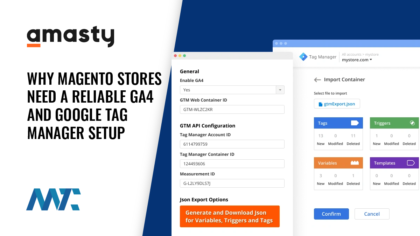
A free tool that allows you to manage and deploy marketing tags (snippets of code or tracking pixels) on your website (or mobile app) without modifying the code. It simplifies the process of adding these tags to your website. Instead of manually adding each new tag to the pages of your site, you can add or update the tags from within Google Tag Manager.
How Google Tag Manager Works
You add a single container tag to your website’s code. This container includes all the tags you’ll later add via Google Tag Manager. Within the Google Tag Manager (GTM) interface, you can add, remove, or update tags, such as Google Analytics, Google Ads, Facebook pixel, or other custom tags.
- Triggers: Conditions for when specific tags should fire. For instance, you might want a tag to fire whenever someone clicks a particular button on your site.
- Variables: Collect specific pieces of information about the user’s interaction. For example, a variable might be used to capture the value of a clicked button.
When a user visits your site, the container code runs, and the appropriate tags are fired according to the defined triggers.
Benefits of Using Google Tag Manager
Using GTM can save developers time, reduce the risk of errors, and speed up the site performance because when the tags are managed through GTM, they are loaded asynchronously. This means they load in the background and are less likely to affect page load speed. It’s also great for marketers because they can manage the tags themselves without relying on developers.
Applications in Marketing
Google Tag Manager is widely used in digital marketing to streamline the process of adding and managing various tracking and marketing tags. This tool is particularly useful for marketers who need to implement tags for analytics, advertising, and other marketing purposes without requiring constant developer intervention.
McLaren Racing Limited, known for its success in Formula One, uses Google Tag Manager to manage and deploy marketing tags on its website and mobile app. This allows the team to efficiently track user interactions and optimize their digital marketing strategies.
Additional Acronyms for GTM
- GTM - Go-To-Market