12 Best AI Design Tools You Should Know in 2026
Thanks to advancements in artificial intelligence (AI), design work has quietly split into two processes. There is the part where you decide what something should look like and how it should behave, and there is the part where you push pixels, wire up screens, and hand files to engineers. The best AI design tools accommodate most of that second process. You describe an idea, and a working screen, palette, or full site appears in seconds, ready for you to refine.
That shift has crowded the market with options, and not all of them do the same thing. Some generate entire product interfaces. Some build publishable websites. Others are laser-focused on a single craft problem like color or type.
Table of Contents
Best AI Design Tools
To help you match a tool to the work in front of you, here are the twelve best AI design tools in 2026, starting with the one that has done the most to close the gap between a design and shippable code.
Flowstep
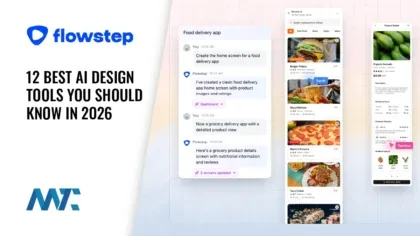
Flowstep sits at the top of this list because it behaves less like a drawing app with AI bolted on and thinks more like an AI design engineer. Its visual canvas is code, so what you sketch is what your team ships. You describe a product in plain language, and Flowstep lays out complete flows on an infinite canvas, producing several connected screens at once rather than one lonely mockup you then have to duplicate and rework.
From there, the workflow stays flexible. You can keep steering with prompts, or take manual control and nudge elements directly, mixing AI moves and hand edits in the same session without starting over. When you want to bring a design into Figma, there is no plugin or extension to install: you select what you made and paste it into your Figma file. Flowstep also lets you design against your own references, so you can feed it images, links, and your own Design.md file and have new work follow the same visual rules.
What earns it the top spot is the code path. Flowstep exports clean React, TypeScript, and Tailwind CSS, and it exposes an MCP connection so the canvas can talk directly to your agents and apps. In practice, teams either export the code outright or pipe designs into environments like Cursor, Claude Code, and Devin through MCP, moving from concept to a running interface without the usual handoff tax. If your goal is to design and build in one continuous loop, Flowstep is the tool to know first in 2026.
Figma Make
Figma Make is Figma’s prompt-to-app layer, where you describe an idea, optionally attach references, and get an interactive prototype built on real code. It’s grown well past a novelty: it can connect to a local codebase, let you prompt against specific elements, and even commit changes or open a pull request without opening a terminal. It sits inside a wider Figma AI ecosystem that spans a canvas design agent, image generation, and an MCP server for coding agents, which makes it a natural pick for teams already living in Figma who want generation and production wiring in the same place.
Claude Design
Claude Design, from Anthropic Labs, replaces the blank canvas with a conversation. You describe what you want, it generates a first version, and you refine through chat, inline comments, direct edits, and design controls. During onboarding, it reads your codebase and design files to build a reusable design system, so later projects automatically reuse your colors, type, and components. Because a finished design can be packaged and handed to Claude Code as a single instruction, it forms a tidy loop from idea to prototype to production for teams comfortable working inside that ecosystem. It is well suited to founders and product folks who think in words before pixels.
Canva Magic Studio
Canva’s Magic Studio is the most approachable entry on this list, and its 2026 update leaned hard into conversation. You can type or speak a request such as a flyer for a specific business with a specific look, and get back a fully editable Canva design. The suite pulls together instant layout generation, text-to-image creation, in-canvas copywriting, and automated data visualization, all riding on a design-specific foundation model with persistent memory. For marketers producing social posts, decks, and one-off graphics at volume, it remains the easiest way to get a professional result without design training.
Midjourney
Midjourney is not a UI builder, and that is exactly the point: it is the reference standard for generating original, high-fidelity imagery to feed the rest of your design work. Its 2026 releases pushed rendering speed up sharply while improving photorealism, character consistency across scenes, and prompt interpretation. A cheaper draft mode makes fast iteration affordable before you commit to final renders. Use it for hero art, moodboards, campaign visuals, and textures, then bring those assets into whichever layout or product tool you build in.
Lovable
Lovable is an AI app builder aimed at people who want working software, not just a picture of it. Describe what you want, and it writes the code, designs the interface, and stands up the backend, database, and authentication, then deploys with a click. A plan mode shows you what it intends to build before it writes anything, giving designers a familiar review step. With connectors for payments, version control, docs, and commerce, plus support for custom APIs and MCP servers, it has expanded beyond apps into broader business workflows, making it a strong choice for quickly turning a concept into a live product.
Replit
Replit centers on its autonomous Agent, which builds apps, tests them in a real browser, and fixes issues it finds in a self-correcting loop. Voice input lets you speak a prompt and edit the transcription before sending, and built-in authentication, database, hosting, and monitoring mean you can go from prompt to deployed app without stitching services together. Notably for designers working across ecosystems, you can send a design straight from Claude Design into Replit, where it opens as a runnable app; the Agent then turns it into a working product. It suits teams that want generation and full deployment in one browser tab.
Framer
Framer is the fastest path from concept to a polished, published website for designers who care about craft. Its AI agent creates editable pages, sections, copy, and visuals directly in your project, and because it works with real, editable layers, you refine responsive layouts on the canvas rather than fighting a locked template. It can even generate custom code components from a description of the interaction you need, and run a pre-publish review that flags contrast problems, typos, missing alt text, and SEO gaps. With a Figma-caliber editor and standout animation tools, it is a favorite for marketing sites and portfolios.
Webflow
Webflow brings AI to production-grade web design and content management. Its AI site builder scaffolds complete, responsive multi-page sites from a prompt, while an in-Designer assistant handles conversational edits and an AI SEO layer auto-generates meta titles and descriptions. For teams thinking about visibility in AI answers, its analytics now run prompts through multiple large language models, and enterprise agents can optimize content for answer engines. It is the pick for organizations that need a robust CMS, structured content, and fine control over the final markup rather than a quick throwaway page.
Microsoft Designer
Microsoft Designer is a free, AI-powered graphic design tool that has become the visual layer of Microsoft 365. It generates images and layouts from text prompts, and its brand kit feature lets brand managers define official colors, typography, and voice, which automatically shape every generation, keeping output on-brand across the whole organization. Because it shares credits and context with Copilot, it is a sensible default for teams already standardized on Microsoft tools who want quick, consistent marketing visuals and slides without leaving their suite.
Khroma
Khroma is a focused, free tool that solves one problem well: color. You start by picking around fifty colors you love, and it trains a neural network on your taste to generate combinations you are likely to like while filtering out ones you won’t. You can save unlimited palettes and preview them as typography, gradients, and custom images, and search by hue, value, hex code, or accessibility rating. It is a small but genuinely useful addition to any designer’s kit when you need a starting palette that feels personal rather than generic.
Fontjoy
Fontjoy rounds out the list with the other classic craft problem: type pairing. It uses deep learning to suggest harmonious font combinations in one click, with a live preview so you can see headings and body copy together. A locking mechanism lets you fix a font you like and shuffle the rest, and it pulls from hundreds of free Google Fonts. Like Khroma, it is completely free and single-purpose, which is precisely why it has stayed in designers’ toolkits for years. When you need a defensible type pairing fast, it is hard to beat.
How to Choose the Right AI Design Tool in 2026
The fastest way to narrow this list is to name your deliverable. If you are designing a product interface and want the output to become real code, a design-to-code platform like Flowstep is the center of gravity, especially when you plan to hand work to engineers or pipe it into a coding agent. If you already live in Figma or Anthropic’s ecosystem, Figma Make and Claude Design keep you close to home. When the deliverable is a full app, Lovable and Replit take you all the way to deployment, and when it is a website, Framer and Webflow are the two ends of the fast-versus-robust spectrum.
For everything that supports design rather than being the design, the specialists earn their place. Canva and Microsoft Designer cover high-volume marketing graphics, Midjourney handles original imagery, and Khroma and Fontjoy quietly solve color and type. Most working designers in 2026 do not pick one tool; they assemble two or three that hand off to each other cleanly. The tools that win are the ones that reduce handoff friction, which is why the ability to move from a canvas straight into code and back out to your other apps matters more than any single generation feature.
Frequently Asked Questions
What are AI design tools?
AI design tools use machine learning to generate, edit, or refine visual work from prompts, references, or existing files. They range from full product-design platforms that output production code to focused utilities for images, color, and typography.
Which is the best AI design tool in 2026?
It depends on your deliverable, but for teams that want designs to become shippable code, Flowstep leads because its canvas is code: it generates full flows, exports React, TypeScript, and Tailwind CSS, copies into Figma without a plugin, and connects to coding agents over MCP.
Can AI design tools replace designers?
No. They compress the mechanical parts of the job, generating screens, palettes, and boilerplate code, but decisions about strategy, hierarchy, brand, and usability still rest with the designer. The tools shift where designers spend their time rather than removing them.
Are there free AI design tools?
Yes. Microsoft Designer, Khroma, and Fontjoy all offer free tiers or are entirely free, and several other tools on this list provide free plans with usage limits so you can test them before committing.
The AI design landscape will keep moving fast, but the throughline is clear: the strongest tools of 2026 don’t just make pictures; they shorten the distance between an idea and something you can ship.


