WordPress Plugin: A To-Do List That Finally Lives Where the Work Happens
Martech Zone is approaching its twentieth year online. Over that time, it has gone through multiple WordPress themes, hundreds of plugin changes, and the steady accumulation of thousands of posts, pages, landing experiences, and experiments. With that kind of history comes a constant stream of small but important tasks: updating internal links, revisiting old articles, improving performance, refining metadata, fixing layout issues, or simply reminding myself to come back and improve something I noticed in passing.
For years, I tried to manage those to-dos outside of WordPress. I kept notes on my Mac, scattered across reminders, text files, and task apps. And like most external task lists, they suffered from the same problem: if they weren’t in front of me at the exact moment I was working on the site, they were forgotten. Tasks drifted, lists grew stale, and good ideas quietly disappeared.
The real issue wasn’t discipline. It was context. My to-do list lived somewhere else, while the work lived inside WordPress.
A Simple Solution: Put the To-Do List Inside WordPress
What I wanted was something unavoidable. Every time I logged into WordPress, I wanted my outstanding to-dos visible, prioritized, and actionable. Not a project management platform. Not another SaaS subscription. Just a focused, dashboard-level reminder system that lived exactly where the work gets done.
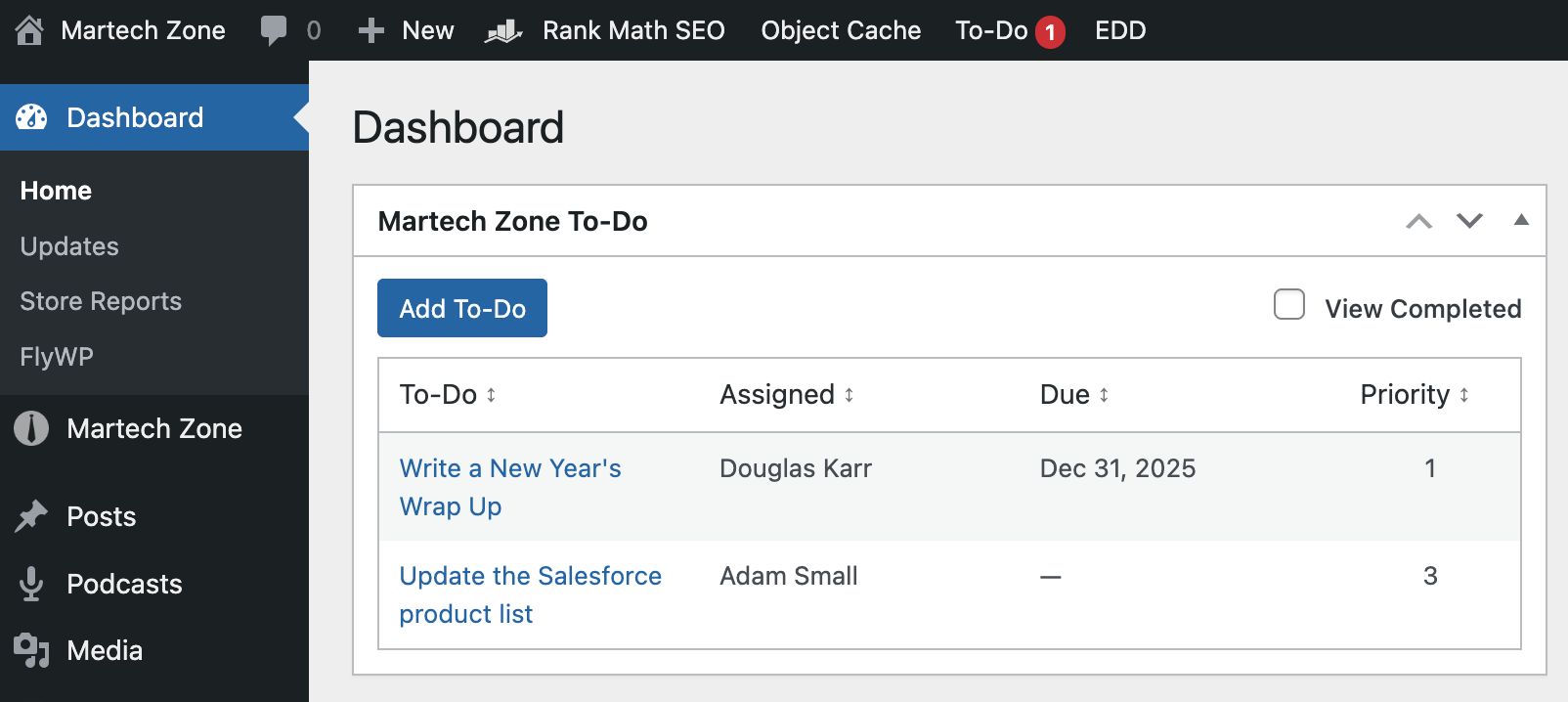
That led to the creation of the WP To-Do Dashboard Widget. It does one thing well: it keeps WordPress-specific to-dos front and center, every time you log in.
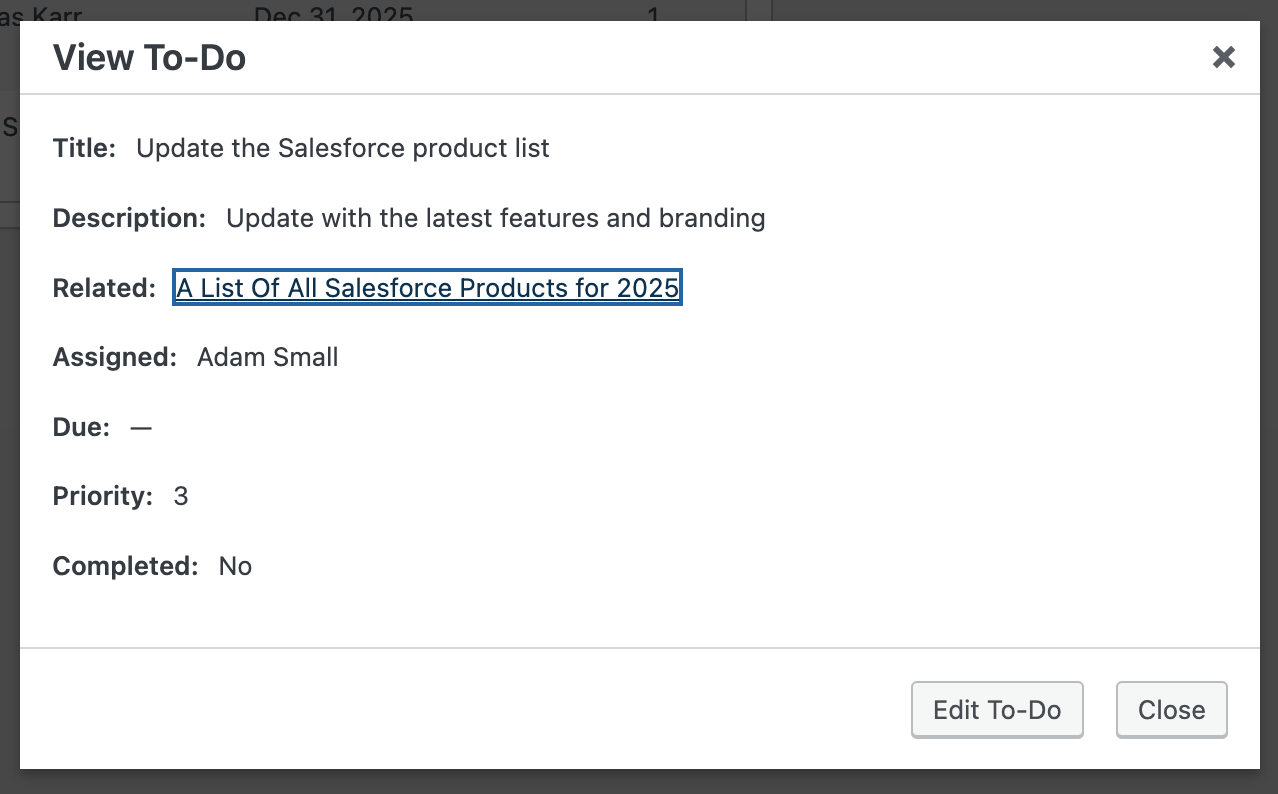
View To-Do
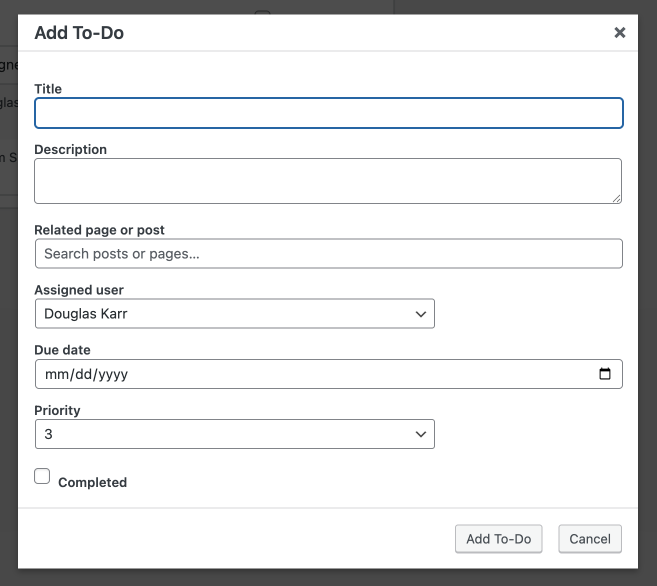
Add or Edit To-Do
To-Do List Dashboard Widget Features
- Dashboard-only visibility: To-dos appear directly on the WordPress dashboard, keeping them top of mind without cluttering the admin menu or the frontend experience.
- 1
- User Assignment: To-dos can be assigned to users with a Contributor role or higher, making it useful for small editorial or marketing teams without introducing full workflow software.
- Post related: Is it related to a page, post, or CPT? The plugin includes a search that lets you optionally select content. When you view the to-do, that link opens in a new tab for editing.
- Due dates: Each to-do can include an optional due date, so nothing quietly lingers indefinitely.
- Archive: Completed to-dos are still recorded and available with a simple filter on the dashboard widget.
- Priority levels: Simple numeric priority makes it easy to distinguish between urgent fixes and lower-impact improvements.
- Completion tracking: To-dos can be marked complete directly from the dashboard, keeping the list clean and up to date.
- Private, internal storage: To-dos are stored as a private custom post type, excluded from search and public views, so they never interfere with site content or SEO.
- Clean uninstall: Removing the plugin also removes the stored to-dos, leaving no orphaned data behind.
Everything about the plugin is designed to stay out of the way while still being impossible to ignore.
Why This Isn’t in the WordPress Repository
I chose not to publish this plugin in the public repository. Over time, I have seen too many situations where independently built plugins are redistributed or repackaged in ways that create unnecessary legal and support complications. Rather than introduce that risk, I decided to distribute this directly, clearly, and with straightforward terms.
This is not about limiting use. It is about keeping ownership, expectations, and responsibility clean on both sides.
How This Plugin Is Offered
The WP To-Do Dashboard Widget is provided as-is, with a small one-time fee ($10 US) and a simple 7-day refund policy. If you purchase it, you are free to use, modify, and adapt it for your own sites or workflows. The only restriction is resale. Beyond that, the code is yours to work with as you see fit. This approach keeps the plugin lightweight, affordable, and free from ongoing licensing complexity.
I’m planning to integrate additional features, such as recurring to-dos, role-based permissions, to-do window on the edit page, to-do ownership, pagination, and more. This will depend on sales, of course, to invest the extra development time. If you buy the plugin, I’ll provide those updates at no cost if I release them.
Also, if you’re interested in partnering or buying the plugin to develop for commercial use, I’m open to that as well. Just contact me.
Ready to Keep Your WordPress Tasks Where They Belong?
If you have ever logged into WordPress, noticed something that needed fixing, and then promptly forgotten about it, this plugin was built for you. It exists because I needed it, and it now does exactly what I wanted it to do every single day.