WordPress Plugin: A To-Do List That Finally Lives Where the Work Happens
Martech Zone is approaching its twentieth year online. Over that time, it has gone through multiple WordPress themes, hundreds of plugin changes, and the steady accumulation of thousands of posts, pages, landing experiences, and experiments. With that kind of history comes a constant stream of small but important tasks: updating internal links, revisiting old articles, improving performance, refining metadata, fixing layout issues, or simply reminding myself to come back and improve something I noticed in passing.
For years, I tried to manage those to-dos outside of WordPress. I kept notes on my Mac, scattered across reminders, text files, and task apps. And like most external task lists, they suffered from the same problem: if they weren’t in front of me at the exact moment I was working on the site, they were forgotten. Tasks drifted, lists grew stale, and good ideas quietly disappeared.
The real issue wasn’t discipline. It was context. My to-do list lived somewhere else, while the work lived inside WordPress.
A Simple Solution: Put the To-Do List Inside WordPress
What I wanted was something unavoidable. Every time I logged into WordPress, I wanted my outstanding to-dos visible, prioritized, and actionable. Not a project management platform. Not another SaaS subscription. Just a focused, dashboard-level reminder system that lived exactly where the work gets done.
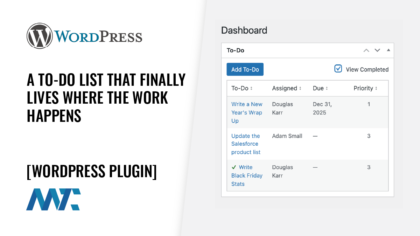
That is Assignment Dashboard Widget, a free plugin in the WordPress plugin directory. It does one thing well: it keeps WordPress-specific to-dos front and center every time you log in.
To-Do List Dashboard Widget Features
- Dashboard-only visibility: To-dos appear on the WordPress dashboard, without cluttering the admin menu or the public site.
- User assignment: Assign to-dos to users with the Contributor role or higher, useful for small editorial or marketing teams.
- Related content: Optionally search for a page, post, or public custom post type. When you view the to-do, that link opens in a new tab for editing.
- Due dates: Each to-do can include an optional due date.
- Archive: Completed to-dos stay on file behind a View Completed filter on the widget.
- Priority levels: A simple 1–5 scale distinguishes urgent fixes from lower-impact improvements.
- Completion tracking: Mark to-dos complete from the dashboard.
- Private storage: To-dos are a private custom post type, excluded from search and public views, so they never interfere with site content or SEO.
- Clean uninstall: Deleting the plugin from Plugins, Installed Plugins removes every stored to-do and related plugin data. Deactivate leaves the data in place. Related posts and pages are not deleted.
Install the Plugin
From your WordPress dashboard, open Plugins, Add Plugin, and search for Assignment Dashboard Widget. Install and activate it. After the plugin is approved in the directory, you can also download it from WordPress.org. Source is on GitHub.
- Install and activate Assignment Dashboard Widget.
- Open the Dashboard.
- Use the To-Do List widget to add, assign, complete, or archive tasks.
The plugin is free and licensed under the GPL. It stores no settings outside the to-do records themselves. When you delete the plugin, those records go with it.
Ready to Keep Your WordPress Tasks Where They Belong?
If you have ever logged into WordPress, noticed something that needed fixing, and then promptly forgotten about it, this plugin was built for you. It exists because I needed it, and it now does exactly what I wanted it to do every single day.
View Assignment Dashboard Widget in the WordPress Plugin Repository