Why and How I Migrated Redirects off WordPress to Cloudflare
Recently, I wrote about how my site was being attacked and how I finally migrated to Cloudflare to end the barrage of bot traffic. The bot traffic was also destroying performance on my site because it was hitting what appeared to be an infinite number of nonexistent URL paths, driving up queries of wildcard redirects that were never going to work.
Table of Contents
How WordPress Redirects Impact Performance
While troubleshooting memory and CPU usage and resolving the issues, I was still surprised by the resources static redirects were consuming. Then I started analyzing the process needed for a URL that doesn’t exist to be processed by my server:
- Incoming HTTP request: The web server receives a request for a URL and performs its most basic checks, including SSL negotiation, virtual host matching, and static file existence. If the requested file exists physically on disk, such as an image, CSS file, or static HTML file, it is served immediately without invoking WordPress.
- Web server–level rewrite rules: If no static file exists, the server evaluates rewrite and redirect rules defined at the server layer, such as Nginx rewrite directives or Apache mod_rewrite rules in .htaccess. Redirects handled here are completed before PHP or WordPress is loaded, making them the least resource-intensive option.
- PHP bootstrap and WordPress load: If no server-level rule resolves the request, the server routes the request to
index.php, triggering PHP execution and the WordPress bootstrap process. At this point, core WordPress files are loaded, plugins are initialized, and memory and CPU usage increase meaningfully. - Parsed request and query resolution: WordPress parses the requested URL to determine whether it maps to an existing post, page, custom post type, taxonomy, or other registered rewrite endpoint. This process involves multiple database queries against the posts, terms, and options tables.
- Redirect lookup via plugins or core hooks: If the requested URL does not resolve to valid content, WordPress checks registered redirect logic. This may include core canonical redirects, custom redirect code, or redirect plugins that query their own database tables or cached rules to find a matching source URL.
- Redirect cache evaluation: Well-implemented redirect systems check in-memory caches or object caches first, then fall back to database lookups only if needed. Poorly optimized redirect plugins may execute multiple database queries on every miss, compounding server load on high-traffic sites.
- Redirect response issued: If a matching redirect is found, WordPress sends the appropriate HTTP status code, such as 301 or 302, and halts further processing. The request ends here, but only after WordPress and PHP resources have already been consumed.
- 404 determination: If no redirect rule matches, WordPress marks the request as a 404 and prepares the error response. This still requires complete WordPress execution, including theme loading and template resolution.
- 404 template rendering: The active theme’s 404.php template is loaded, along with any associated assets, hooks, widgets, or tracking scripts. Even though the page displays not found content, it is often one of the most resource-intensive outcomes due to full-page rendering.
- Response delivery: The final HTML response is sent back to the browser, completing the request lifecycle. From the server’s perspective, this path represents the maximum cost scenario for a single unresolved URL.
For any site that’s been migrated, permalinks restructured, or is simply an old site… redirects are critical for the user experience and for maintaining backlink authority to relevant pages for SEO. When redirects are handled inside WordPress, the server is forced to do far more work than most site owners realize. Each unresolved URL requires PHP to start, WordPress core to load, plugins to initialize, and multiple database queries to run before a redirect decision is even made.

On a busy site, this means CPU cycles, memory, and database connections are being consumed to tell the browser to go somewhere else. Multiply that cost across thousands of legacy URLs, mistyped links, bot traffic, and external backlinks, and redirects quietly become a measurable performance and stability liability.
To put it into perspective, Martech Zone is nearing 20 years with multiple domains, migrations, and permalink structure changes, as well as thousands of affiliate links that I utilize redirects for. I’ve amassed over 6,100 redirects! As a result, the majority of my server resources were spent on redirects rather than presenting actual content.
Why To Migrate Redirects Off WordPress and Onto Your Server
Moving redirects to the server layer eliminates nearly all of that overhead. When Nginx or Apache processes a redirect, the decision happens before PHP is invoked and before WordPress ever loads. There are no database queries, no plugin execution, and no theme rendering. The server evaluates a simple rule, returns a 301 or 302 response, and closes the request.
This reduces time-to-first-byte (TTFB), lowers PHP and database load, and preserves WordPress resources for requests that actually need dynamic content. In practical terms, server-level redirects scale better, respond faster, and reduce the blast radius of traffic spikes, crawlers, bots, and broken links. For any site concerned with performance, reliability, or cost efficiency, redirects belong as close to the web server as possible, not buried inside the application layer.

1 As a result, Cloudflare was the perfect solution for migrating my redirects. Now, the redirects plugin does not use any resources to query and cache redirects within WordPress… Cloudflare handles it all.
How To Migrate Redirects to Cloudflare
Because I’d migrated my CDN to Cloudflare to remedy the bot attack, I researched and found that they had a robust redirect engine that allowed bulk uploads of redirects. The process for migrating backlinks wasn’t straightforward, so I want to document it here in case you’re looking to do it as well:
- Exported my static (not wildcard or regex) redirects from Rank Math into a CSV file.
- Imported the CSV to Rules > Redirect Rules > Go to Bulk Redirects.
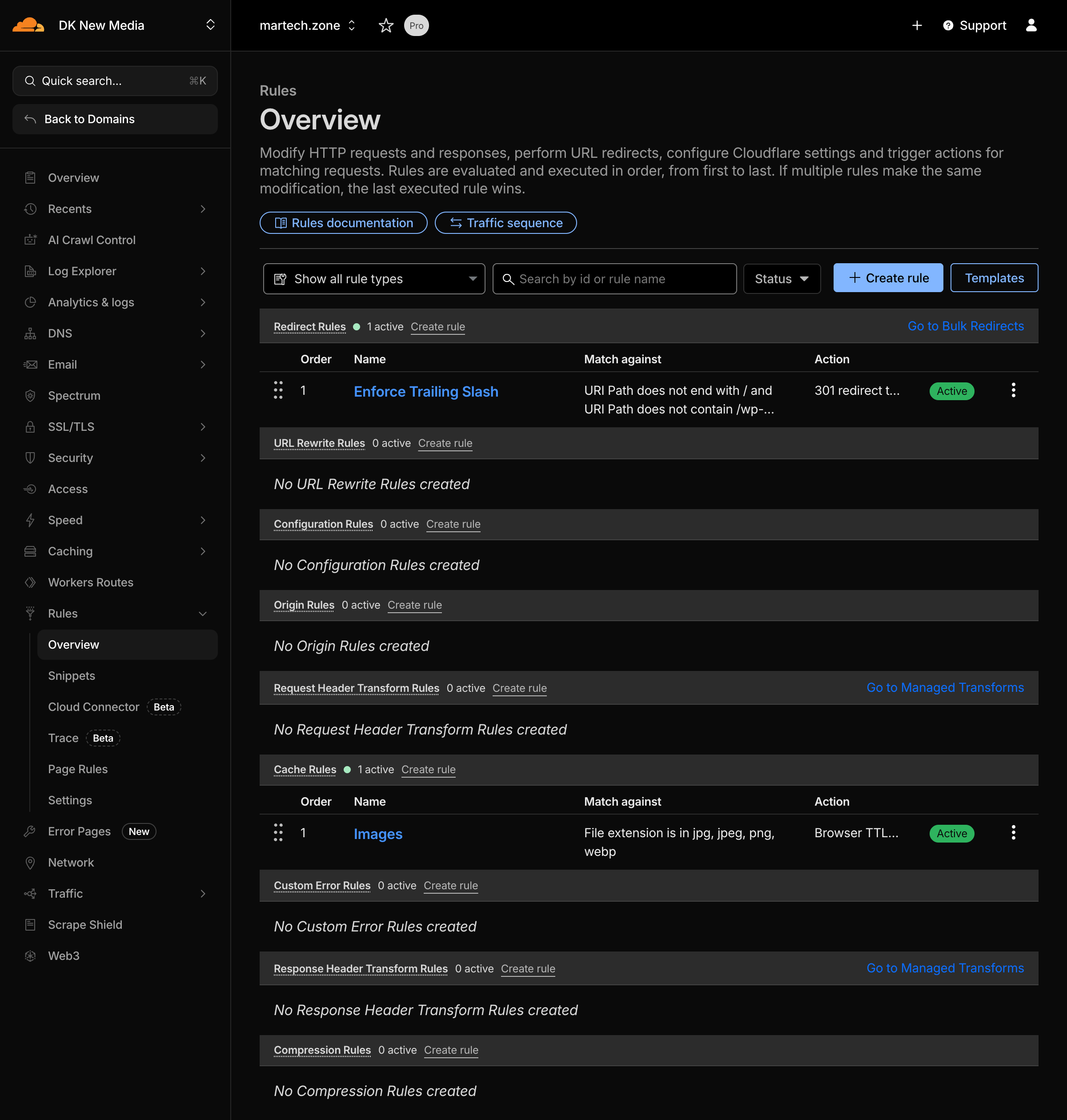
- The import for Cloudflare Bulk Redirects has some specific requirements. Unfortunately, the documentation isn’t that great, and the error messaging is worse… so here’s what I found:
- The final CSV has just two columns, with no header row: source and destination URLs. I removed all additional columns and the header row.
- A complete source URL, so I had to write a formula to concatenate
https://martech.zonebefore the source path. - Redirection plugins allow duplicates (unfortunately), which must be removed from the CSV, or the redirect import will fail.
- I didn’t always have trailing slashes, so I added them to the source URL where necessary as well. This means I avoid having two records per redirect, and I’ll add a rule for a trailing slash coming up.
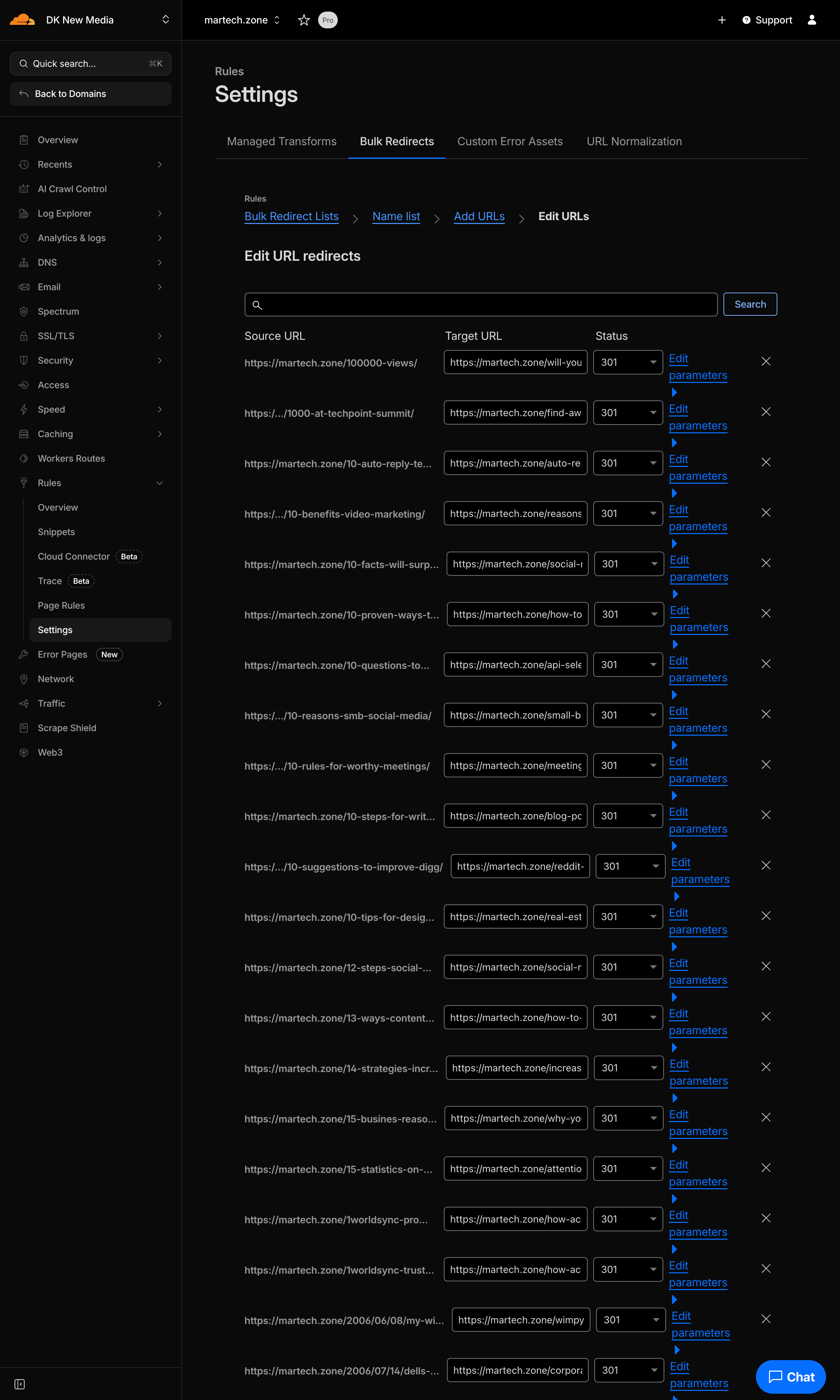
- Added a rule for Cloudflare to always append a trailing slash to my URLs where appropriate.
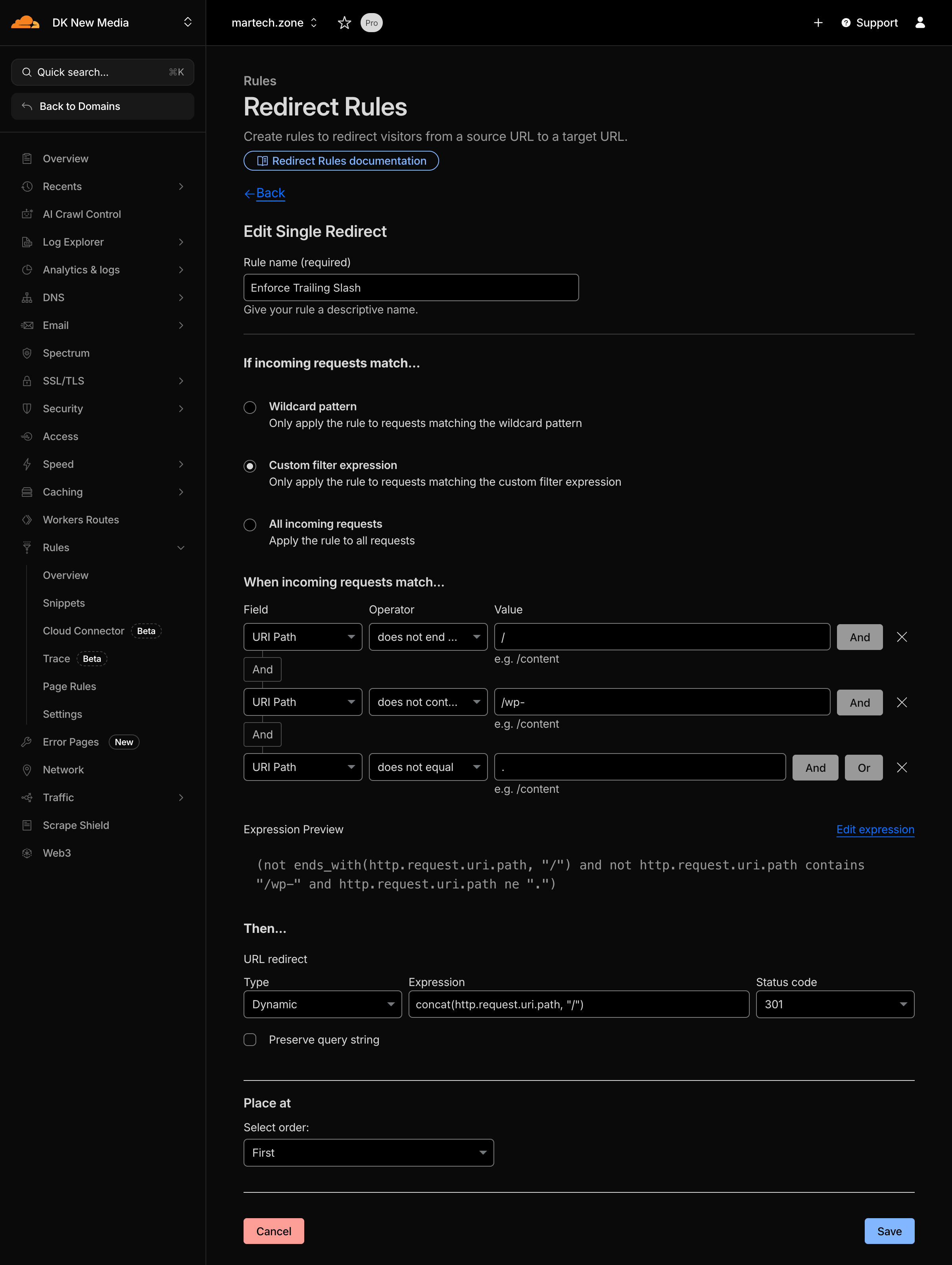
- Added a Bulk Redirect Rule to enable the redirects.
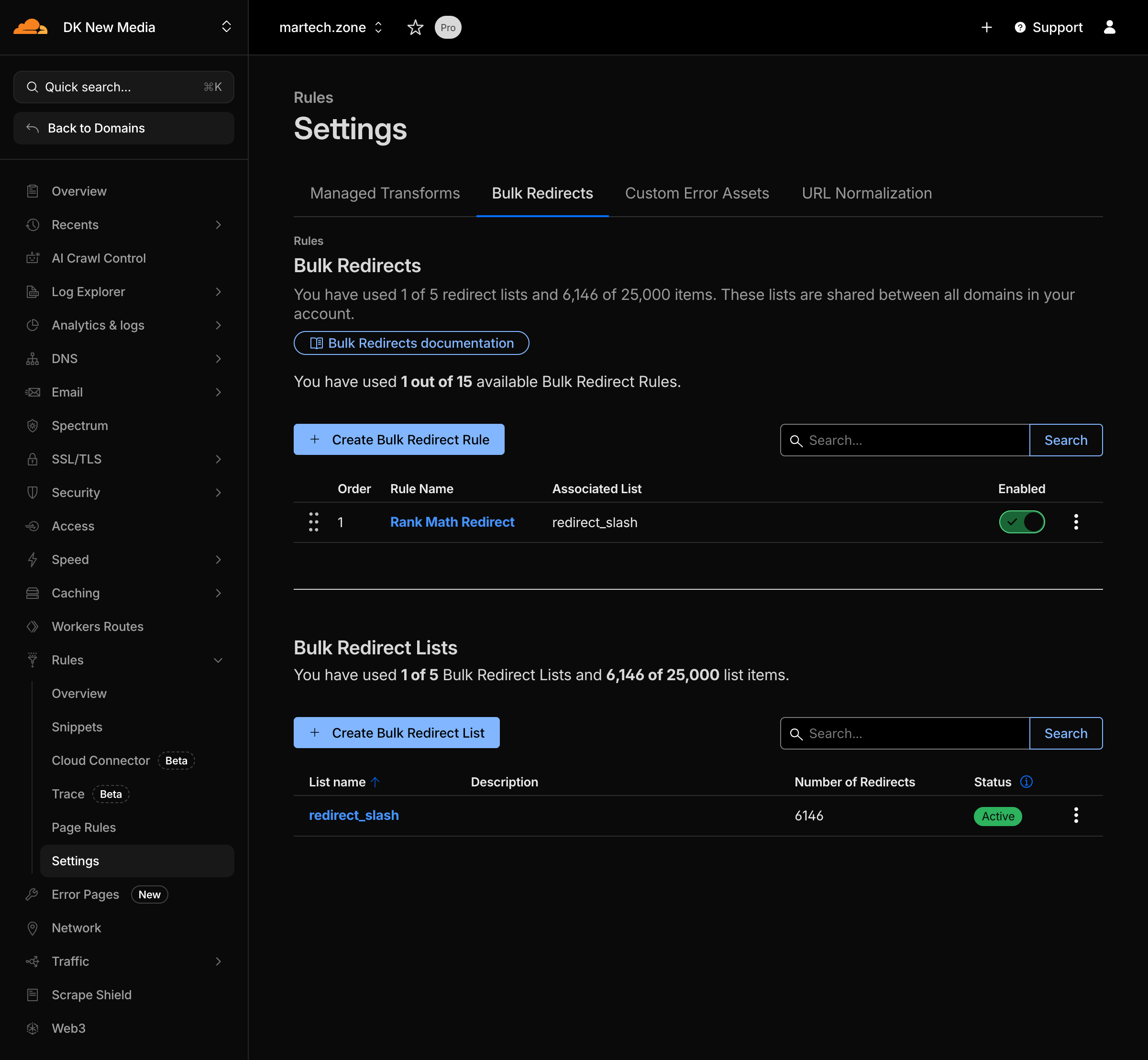
- Tested multiple redirects to ensure they worked.
- Backed up my site and database.
- Disabled redirections on my site and dropped the redirection and redirection cache tables, as they are no longer necessary.
- Monitored performance.
- Ultimately, I downgraded my Linode instance to a server with half the space and CPU resources… cutting my hosting bill in half. And I may even be able to do it again after I observe performance for a while.